
How to upgrade to MOXO360?
Upgrading to MOXO360 gives you a 360° view of every client — on top of everything you already get with Diagnosis — and takes just a couple of clicks.
- From the left-hand menu, go to Purchases.
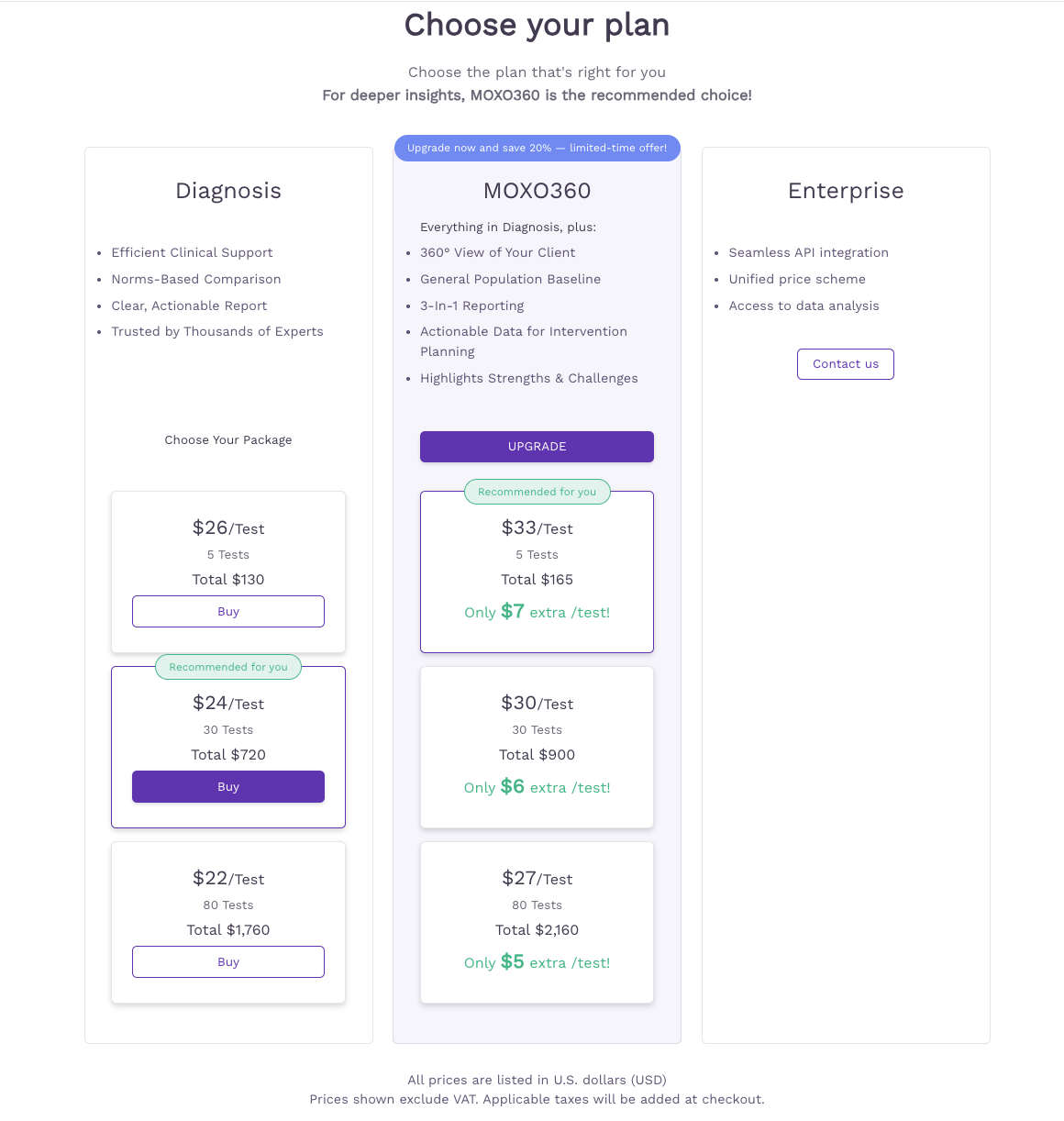
- On the Choose your plan screen, find the MOXO360 column and click Upgrade
- In the Upgrade to MOXO360 pop-up, you'll see your remaining Diagnosis test balance. Pick a discounted MOXO360 test package (limited-time offer), or select "No thanks, I'll skip the savings" to upgrade without adding tests.
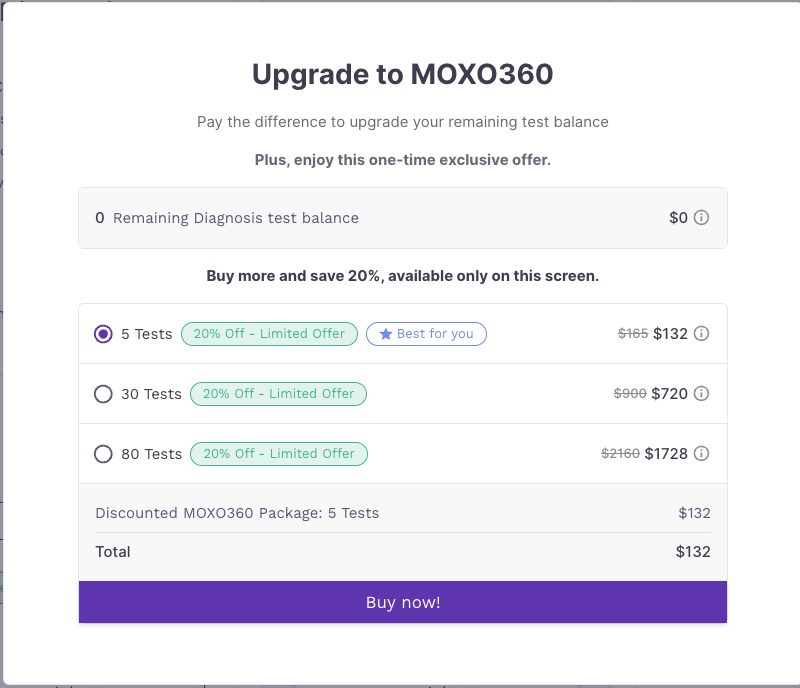
- Click Buy now! to confirm.
You only pay the difference in cost for your remaining Diagnosis tests, and your account is updated instantly — no data loss, no disruption.